
Get closer to creators with the Account Follow feature!
August 26, 2023 · Alex Grant
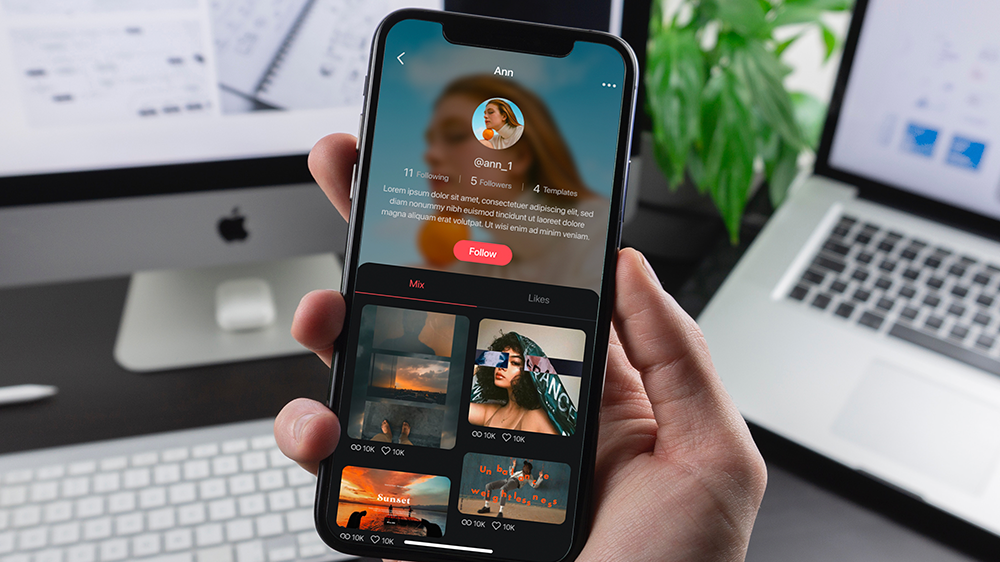
Today, we would like to introduce the new feature in KineMaster 7.2, Account Follow. With this feature, you can now follow the accounts of your favorite video template creators on Mix and easily keep up with their latest works.
What is the Account Follow feature?
As the name suggests, Account Follow allows you to follow the accounts of creators on Mix. With this feature, you can keep up-to-date with the latest works of your favorite or most inspiring creators and use their templates with your own projects.
What are the advantages of Account Follow?
The biggest advantage of the Account Follow feature is convenience. Instead of having to search for your favorite creators every time you open KineMaster, you can simply check your Following list to easily see the latest works.
Furthermore, when the creator being followed uploads a new template, you can quickly discover and apply it to your own projects. This helps you learn various styles and techniques more quickly and boosts your creativity.
How can you make use of Account Follow?
Utilizing Account Follow is very simple. First, find the profile of the creator you want to follow on Mix. Tap their profile name. Then, click the Follow button on their profile page to start following them.

Once you've followed them, you can easily view the templates they have uploaded by clicking on their profile from the following list. These templates can be mixed with your own media or used for inspiration in your creative endeavors.
The Account Follow feature in KineMaster 7.2 allows you to get closer to your favorite or most inspiring creators and makes it easier to learn from their creativity and skills. Through this feature, the KineMaster Mix community will become more vibrant and diverse in its creative activities.
FAQ
Can I see a list of all the editors who I follow?
Can I block followers?
Can I unblock editors?

Two apps, one subscription!
Subscribers to KineMaster Premium get Spring Premium for free!
Create Mind-blowing Videos, Fast and Easy now!